Microsoft Entra ID
Employees sign in with Microsoft, and HR stops typing in new joiners by hand.

How it works
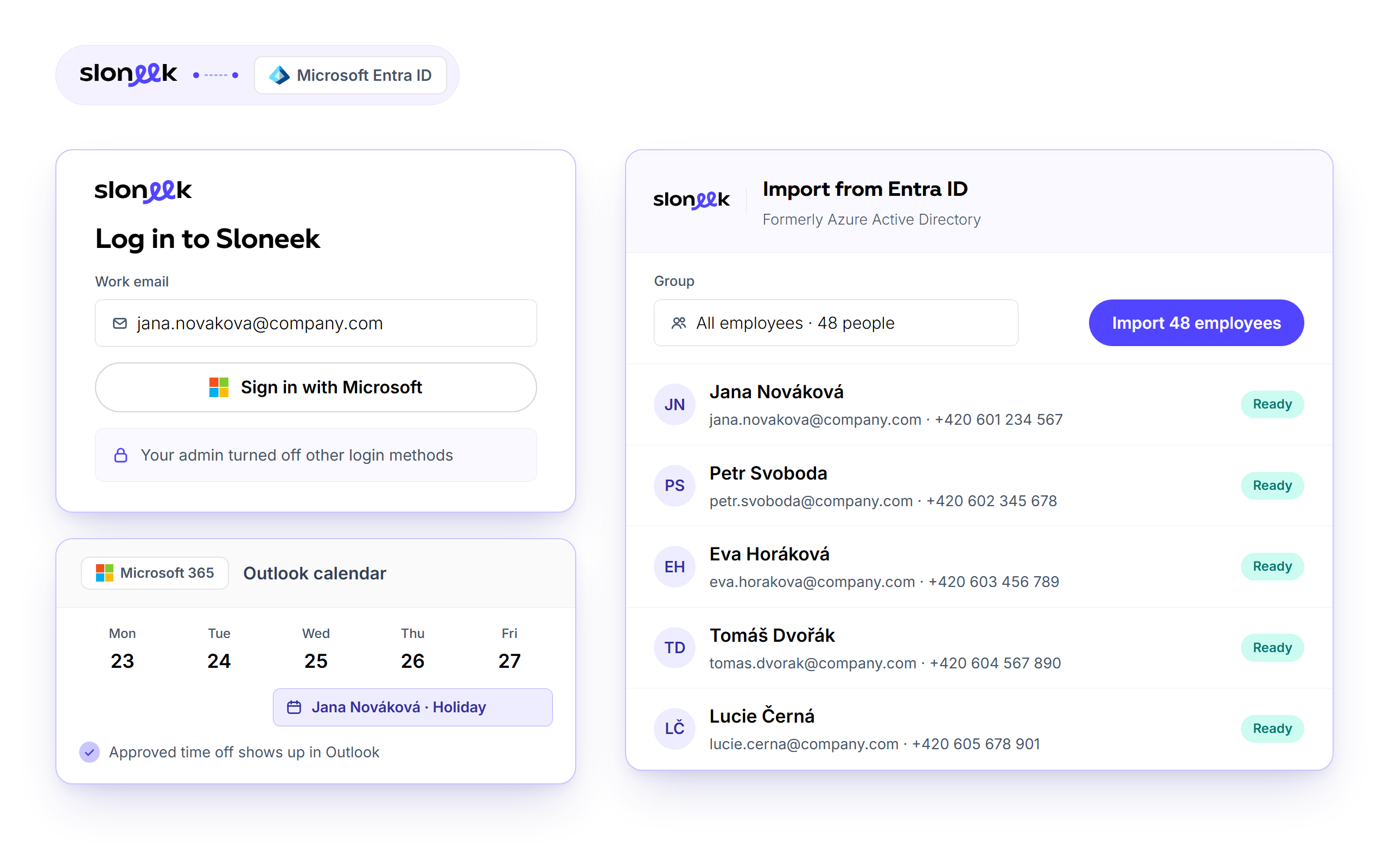
Employees sign in to Sloneek with their Microsoft 365 account, and admins bring employees in from Entra ID (formerly Azure Active Directory). Names, emails, phone numbers and photos come across. Approved absences appear in Outlook.
Why HR teams use it
- One login — no extra password to forget or reset.
- Faster onboarding — employee details arrive already filled in.
- An easy yes from IT — sign-in and security stay in Microsoft.
Setting it up
Your admin decides when to bring employees in from Microsoft. Later changes in Microsoft aren’t copied over automatically. Open the setup guide →
How it fits together
FAQ
-
Does Sloneek support single sign-on with Microsoft? Yes. Employees sign in with their Microsoft account, and your admin can switch off other login methods. Your IT team keeps control of security rules in Microsoft.
-
Does Sloneek update employees automatically from Azure AD? No. Your admin brings employees in from Entra ID when needed. Changes made later in Microsoft aren’t copied over automatically.
-
Do Sloneek absences show up in Outlook? Yes, for employees who sign in with Microsoft and connect their Outlook calendar.
See Sloneek and Microsoft Entra ID in action
We’ll show you how the integration works and answer questions about your setup.
- A live walkthrough with our team
- Answers about your specific tools
- No commitment


Talk to our team. We’re here for you.


